Business Solutions platform

One workspace for conversations, tickets, CRM, and AI routing.

Mitsolab gives support and operations teams the business solutions they need to capture requests, route work, resolve issues, and keep customer context current.

Omnichannel inbox CRM Tickets AI agents
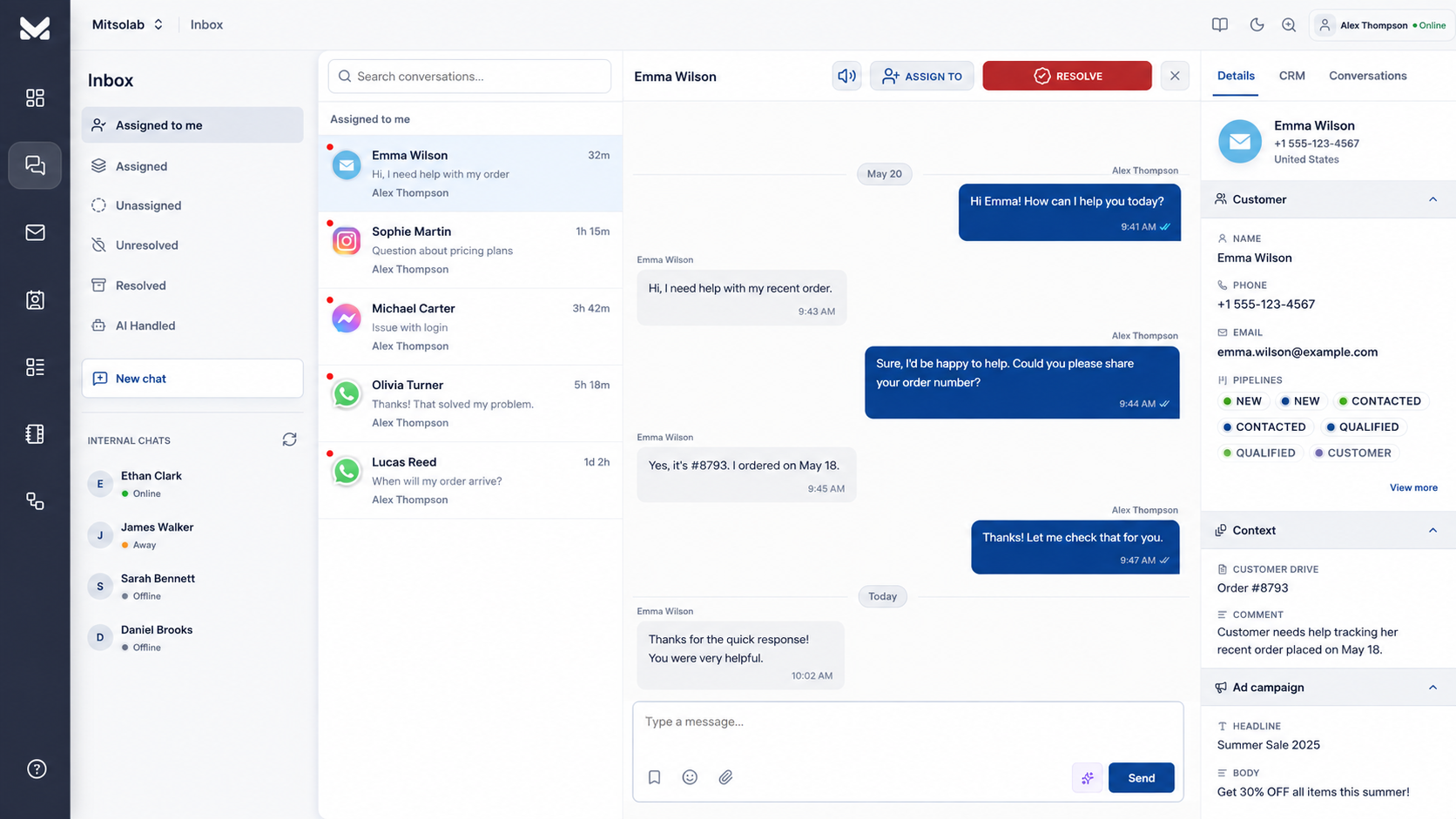
Mitsolab portal showing work queue, dispatcher handoff, chat, and customer details
Connect business context across the tools and channels your teams already use
WhatsApp Instagram Messenger Gmail Shopify Zapier

Customers, tickets, sales context, and follow-ups should not live in separate tools.

Scattered customer work

Messages, tickets, lead details, and account history split across separate queues and spreadsheets.

Slow routing

Teams lose time deciding who owns a request before anyone can actually resolve it.

Disconnected records

Pipeline notes, support history, ticket status, and next actions drift away from the customer record.

The core products your support and operations teams run every day.

Start with the module you need most, then connect the rest into one shared customer workspace.

Omnichannel inbox

Bring website chat, WhatsApp, email, and social DMs into one employee workspace.

Explore inbox

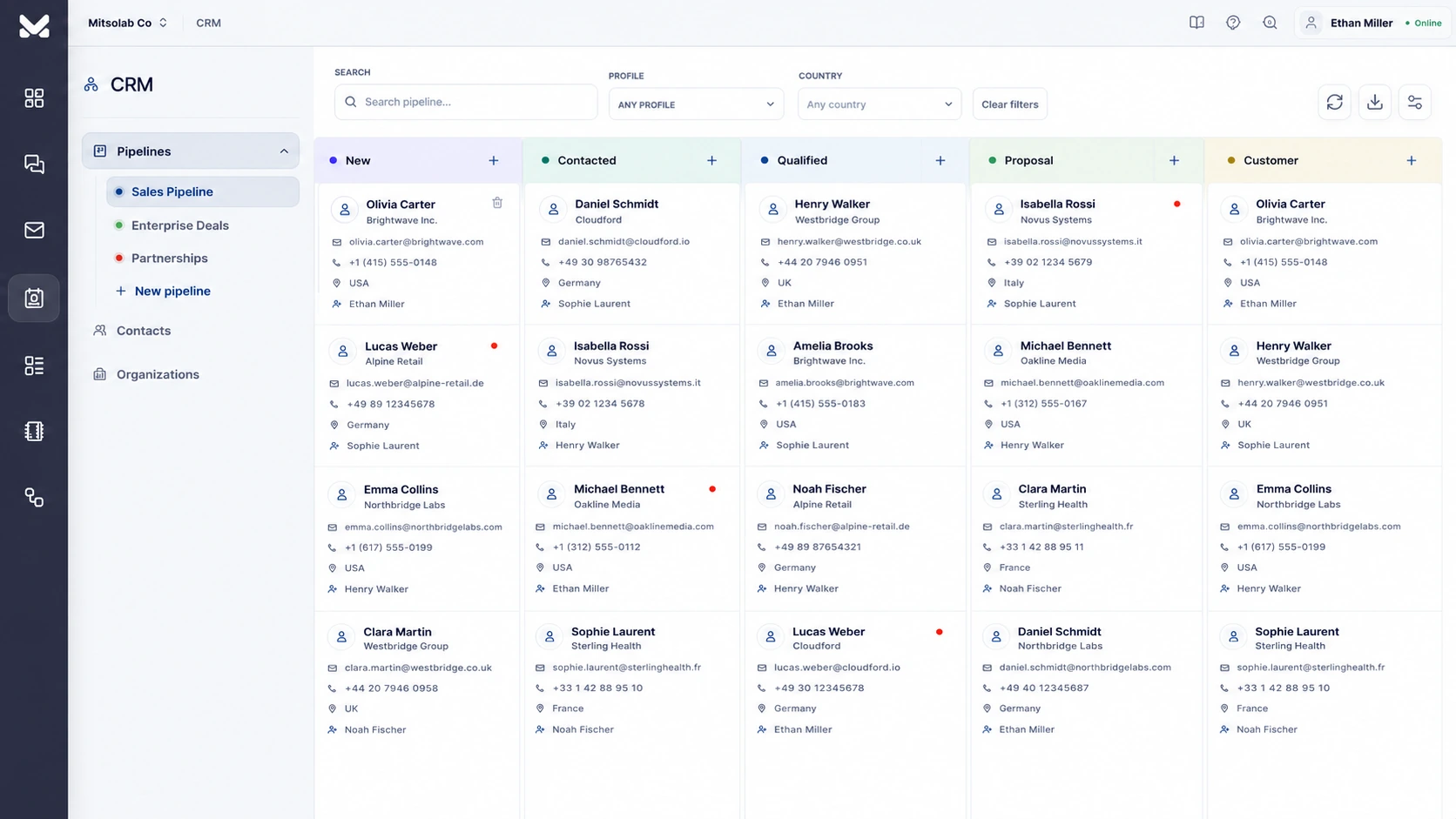
CRM

Keep contacts, deals, ownership, notes, chat history, and follow-ups tied together.

Explore CRM

Tickets system

Convert requests into owned, prioritized, trackable work across support and operations.

Explore tickets

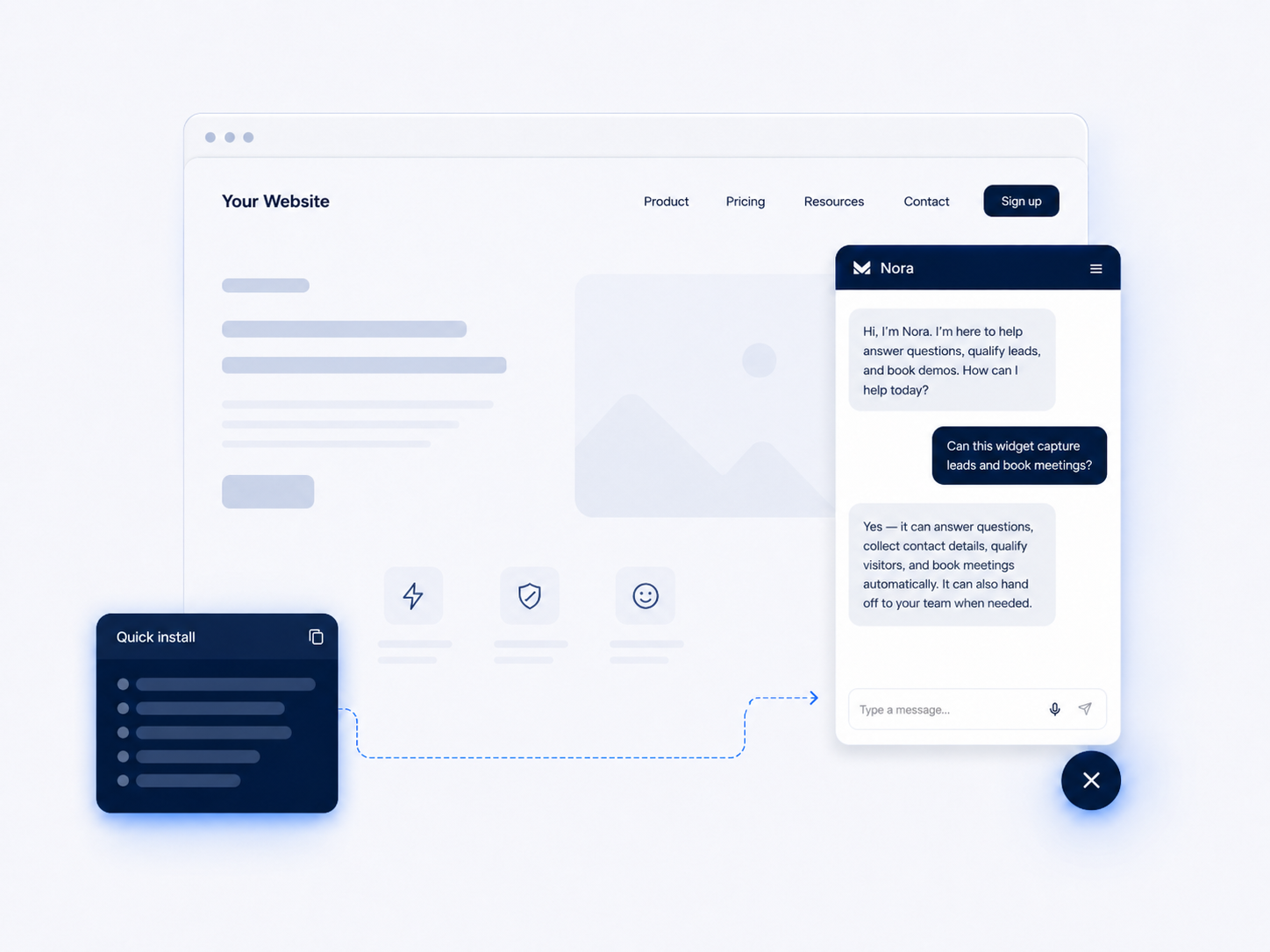
Sales AI agents

Qualify inbound interest, collect buying context, and prepare clean handoffs for sales teams.

Explore sales AI

Customer Support AI agents

Answer repetitive questions, collect missing details, and escalate with a complete summary.

Explore support AI

AI Dispatcher agents

Classify intent, detect urgency, assign work, and keep every handoff accountable.

Explore dispatcher AI

Bring customer work into the same business context.

Connect conversations, orders, forms, CRM records, calendars, docs, and internal workflows so teams act from the same source of truth.

See integrations
Website chat
WhatsApp
Instagram
Facebook
Email
APIs & workflows

Automation that supports the operation, not just the chat.

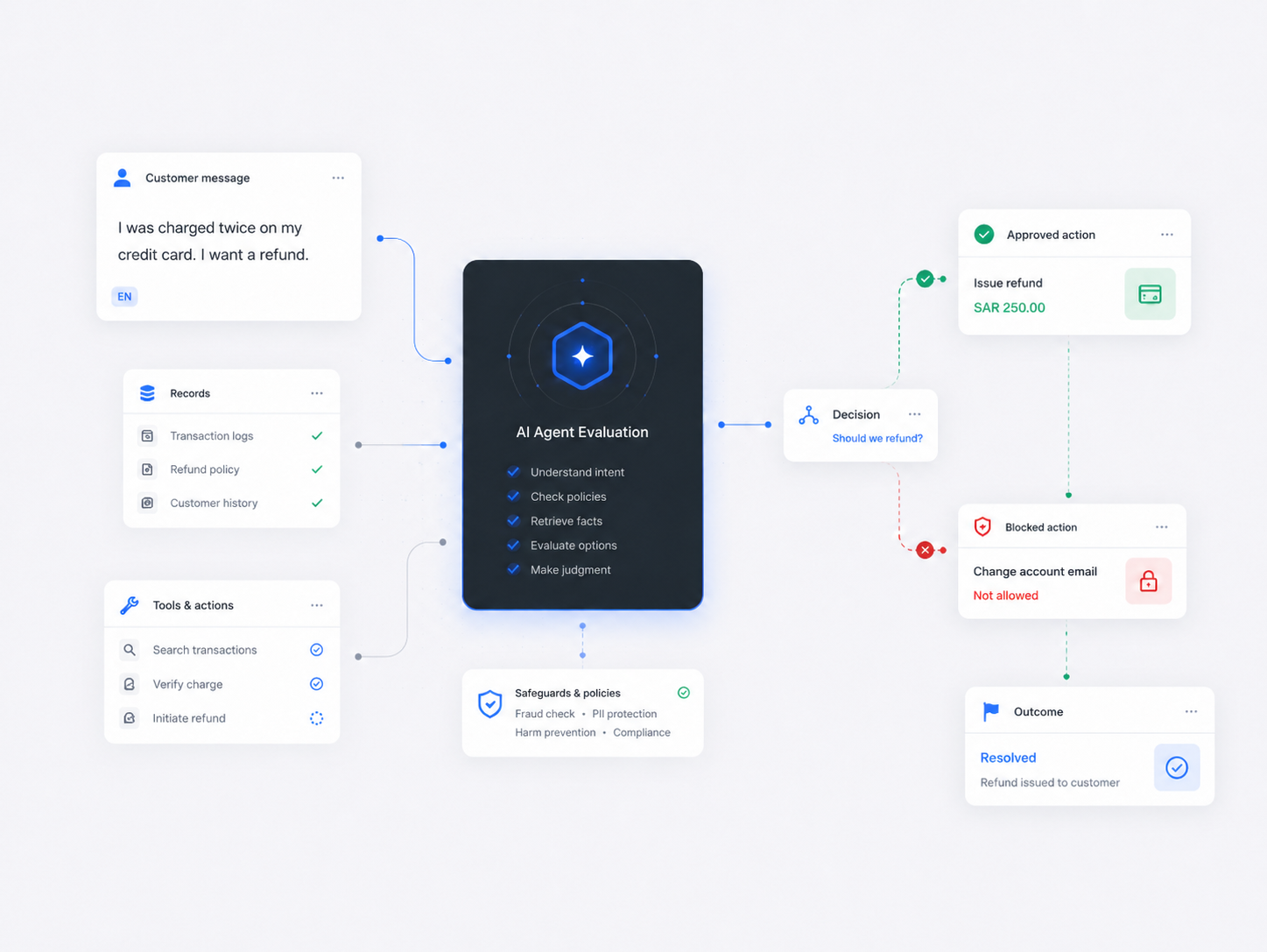
Mitsolab AI agents can qualify, answer, collect details, update records, and prepare the next step before the right employee takes over.

Resolve what is clear

Search approved knowledge, policies, product details, and previous customer context.

Collect what is missing

Ask for order numbers, contact details, requirements, budget, urgency, or issue evidence.

Trigger approved actions

Create tickets, update CRM fields, tag conversations, and route work when rules allow it.

Business workflow Customer request intake
Customer asks for help from WhatsApp

Intent detected: delivery issue

Support AI collects order details

Required fields captured before ticket creation

CRM and ticket updated

Customer profile, status, and summary attached

Dispatcher routes to Customer Care

Human agent receives the chat with full context

Human-ready summary

Customer is missing one item from order #8472. Ticket is marked urgent, CRM is updated, and Customer Care owns the next step.

Dynamic sources

Answers stay tied to the latest context.

Knowledge docsUpdated
Product catalogLive
Customer profileMatched
Chat historyAttached
Agent response

“Your delivery window is 6-8 PM today. I added the note to your profile and can route this to Customer Care if you want a replacement.”

Your workspace should know what changed.

Support and operations break down when prices, policies, customer data, ticket status, or order details change in one system but not another. Mitsolab keeps agents and employees grounded in the context your team actually works from.

  • Pull from knowledge bases, uploaded docs, saved business rules, and connected tools.
  • Use customer records, tags, CRM fields, and previous conversations.
  • Hand off with a clean summary, owner, priority, and next action.

Build the system in Dashboard. Run the work from Portal.

app.mitsolab.com

Dashboard for owners and admins

Create products, configure channels, manage billing, invite employees, and control how automation behaves.

  • Product, channel, and agent settings
  • Billing and workspace setup
  • Human agent management
portal.mitsolab.com

Portal for support employees

Handle conversations, resolve tickets, view customer records, update pipelines, and take over from AI dispatcher agents.

  • Omnichannel shared inbox
  • CRM contacts, tickets, and chat history
  • Pipeline, status, and ownership views

Every request follows a clean path from capture to follow-up.

01

Capture

A customer reaches out from chat, WhatsApp, email, social DMs, forms, or a connected system.

02

Route

AI classifies intent, checks urgency, creates the right record, and assigns ownership.

03

Resolve

Employees work from the full thread, customer profile, ticket status, and AI summary.

04

Track and follow up

CRM, tickets, notes, pipeline status, and next actions stay attached to the customer.

Business automation needs controls your team can trust.

Keep AI, routing, employee access, customer data, and usage under operational control.

Abuse protection

Guardrails help detect repeated misuse, spammy behavior, and suspicious patterns before they affect operations.

Usage visibility

AI activity, employee work, and customer volume stay visible as business demand changes.

Controlled actions

Agents only take approved actions within the rules, sources, permissions, and workflows you configure.

Build your Business Solutions workspace today.

Connect channels, configure products, invite your team, and give employees one place to manage customer work.